PulseApp CRM
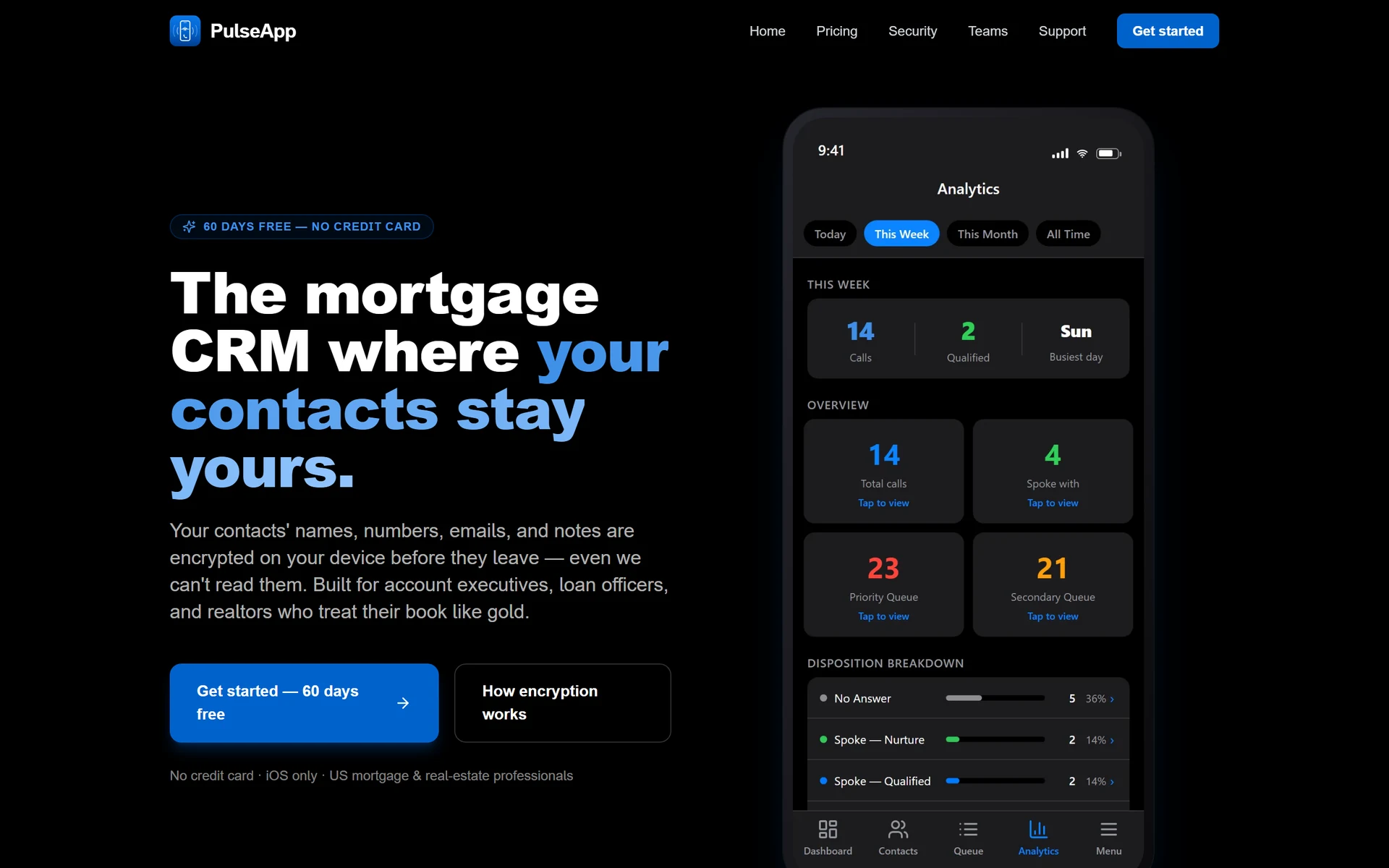
Turns a mortgage or real-estate professional's contact book into a ranked daily call queue.
- subscription tiers across 3 roles
- 9
- languages at structural parity
- 3
- third-party analytics or crash SDKs
- 0
The problem
Wholesale account executives, loan officers and realtors live on the phone but work their book from a spreadsheet, deciding who to call next by scrolling and guessing. The reply I wrote to App Review put it plainly: high-value contacts go uncalled for weeks while low-value ones get called twice. The CRMs that solve this are desktop, team-oriented, and require handing an entire private contact book to a vendor who can read every row of it.
What I built
One iOS app that ships as three products. Account executive, loan officer and realtor each get their own fields, their own scoring weights and their own price ladder, chosen at signup and pinned by row-level security — but they run on one engine. The loop is deliberately small: open the queue, tap to call, log the outcome in two taps, and the follow-up schedules itself. Every path that completes a call routes through a single function, so a shortcut flow cannot drift away from the full one.
Privacy is the architecture rather than a feature. A random master key encrypts all contact information on the device, and that key is sealed into two separate lock boxes — one opened by the login password, one by a sixteen-character recovery key. The operator holds only ciphertext. Phone numbers are matched for duplicates through an HMAC fingerprint, so deduplication works without the server ever seeing a number.
There is no third-party analytics, advertising, attribution or crash SDK anywhere in it. Crash reporting is self-hosted into the project's own database, specifically so the privacy policy can say there are no third-party analytics or crash-reporting services with no carve-out underneath it.
The hard part
Four copies of one contact book
Four tab screens each held their own decrypted copy of the entire contact book, and each ran its own realtime subscription that re-downloaded the whole table whenever anything changed. Tab screens never unmount, so a single row update — which every logged call performs — cost four full downloads and four decrypt passes. For a user with two thousand contacts making a hundred calls a day, that projected to roughly a gigabyte of egress per day: a wall that arrives at a few dozen heavy users, not a few thousand.
The fix was one fetch, one subscription, and realtime payloads applied as deltas. The more interesting decision was what deliberately stayed a full refetch: server-side deletes, because a filtered subscription never emits a matching delete event; returning to the foreground; a subscription that reconnected after dropping; and any delta that fails to apply. The same pass caught a latent bug all four fetchers shared — a failed read was writing an empty array into state, silently emptying the book. The rule that came out of it is that a failed read must never write state, and a partial page counts as a failure, because a truncated book must not be able to masquerade as a complete one.
Outcome
- Live on the US App Store, free with nine annual subscription tiers across three professional roles.
- Cleared three separate App Review rounds — an information request, a metadata rejection, and an in-app-purchase failure.
- The purchase failure was root-caused entirely server-side and fixed with no new binary: the build under review never had to be replaced.
- English, Spanish and Chinese shipped at strict structural parity, enforced by verification scripts that run before every commit.
Screens
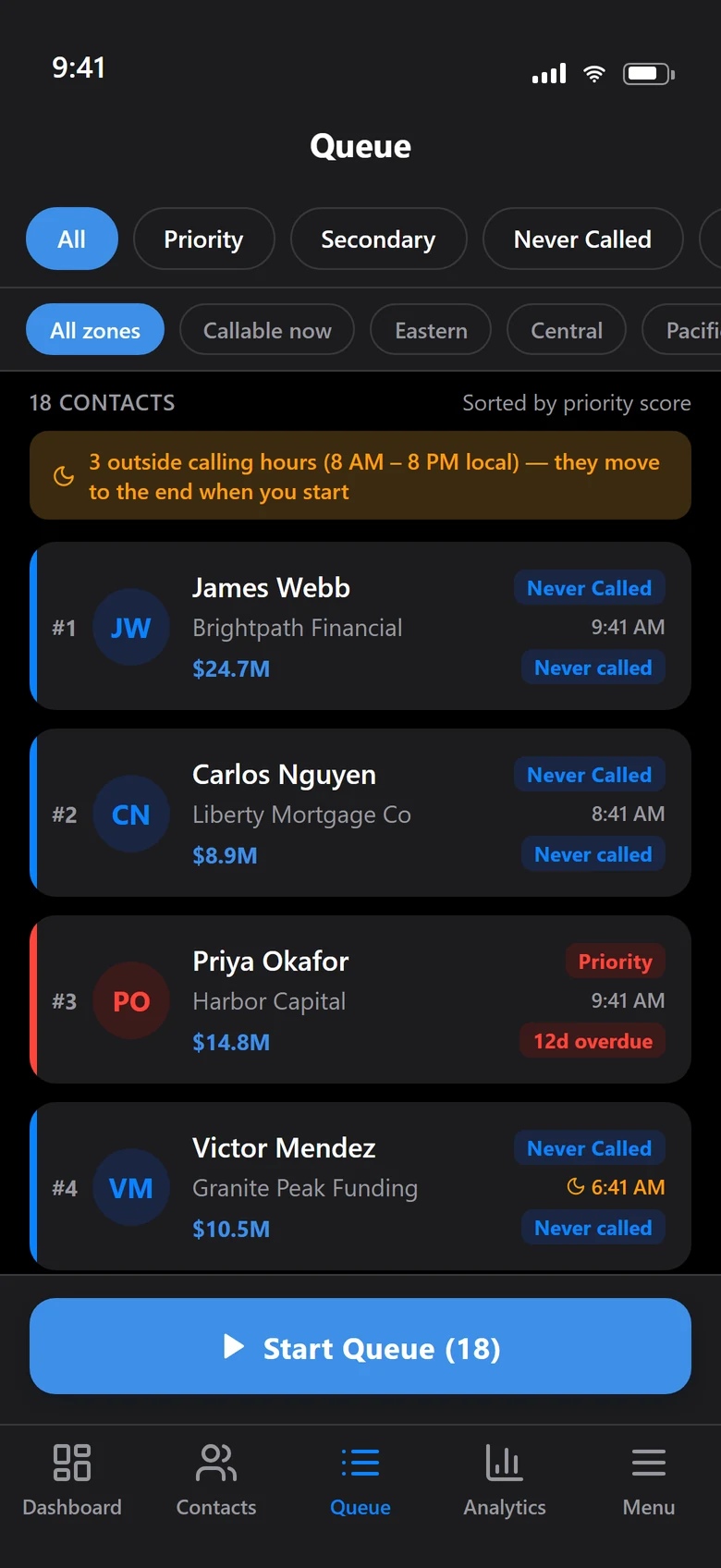
The ranked call queue. Priority score decides who is next; contacts outside calling hours drop to the end.
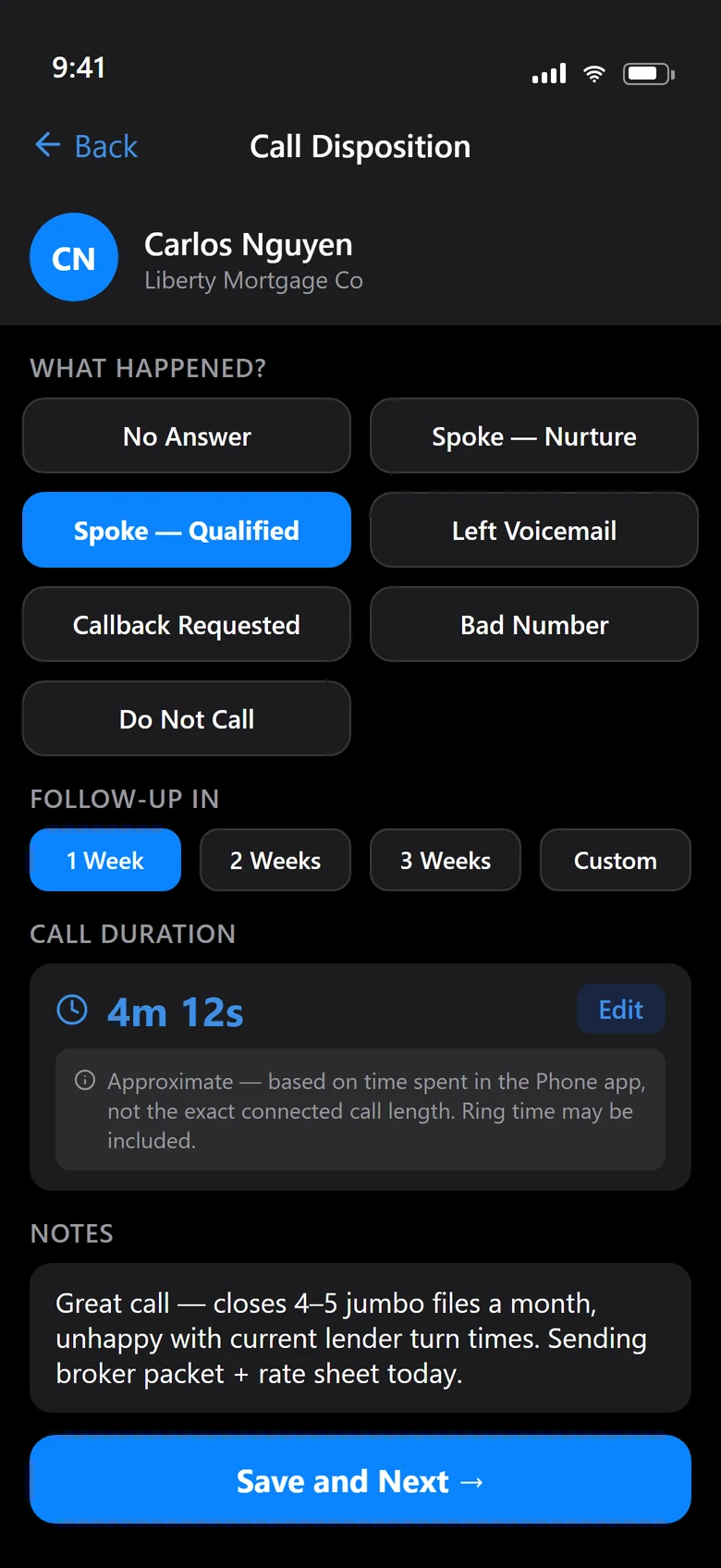
Logging a call: one outcome, one follow-up interval, save and next. Every path that completes a call goes through the same function.
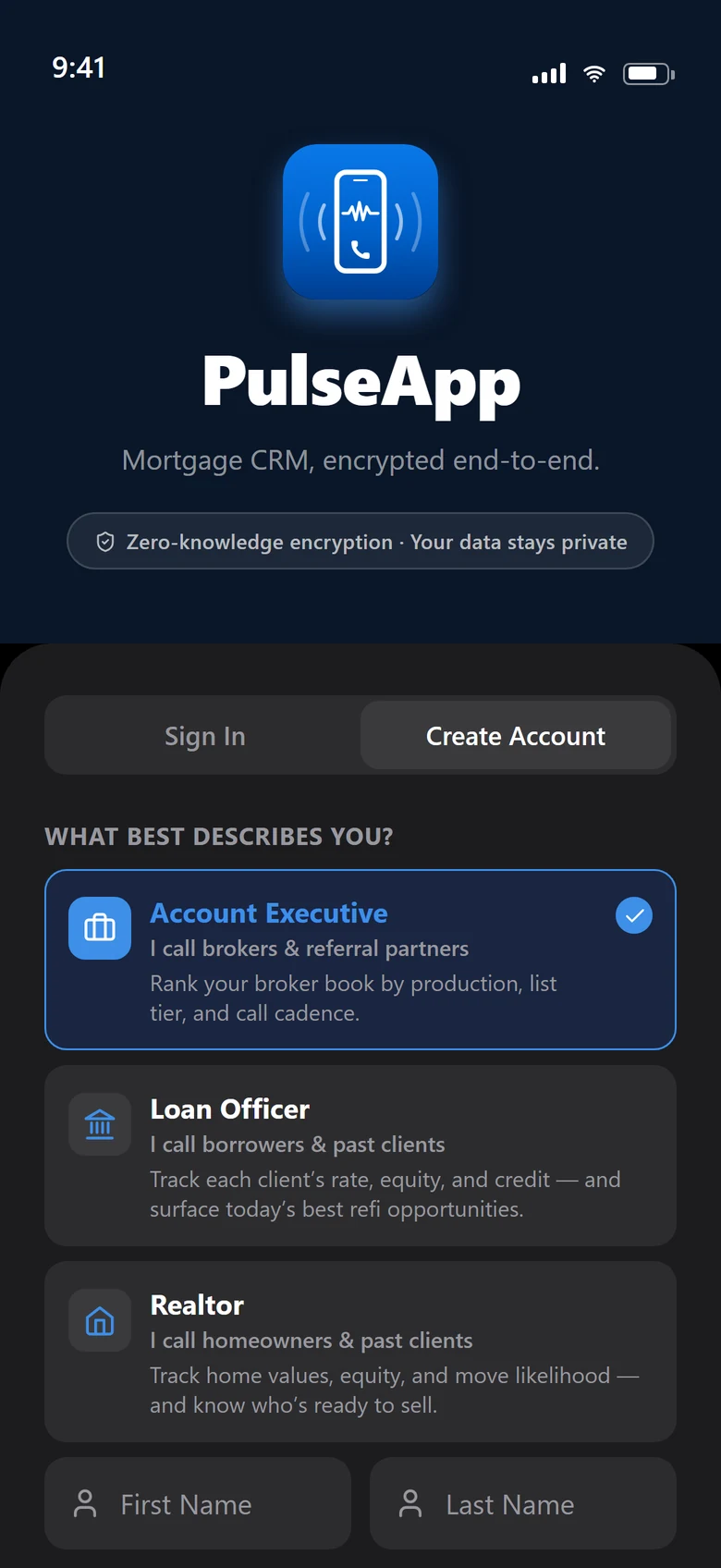
Three products on one engine: the role chosen at signup sets the fields, the scoring weights and the price ladder.
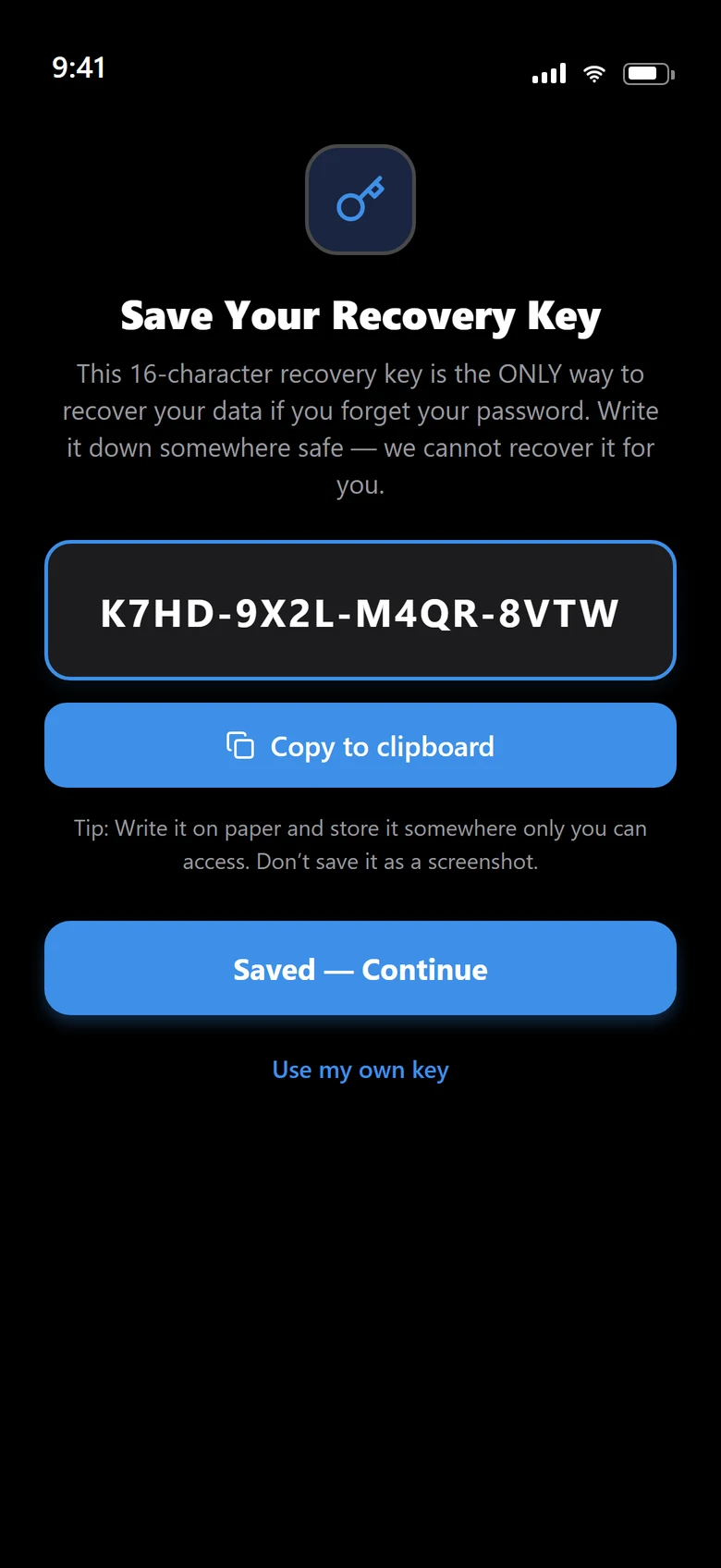
The recovery key opens the second lock box on the master key. The operator never holds either.
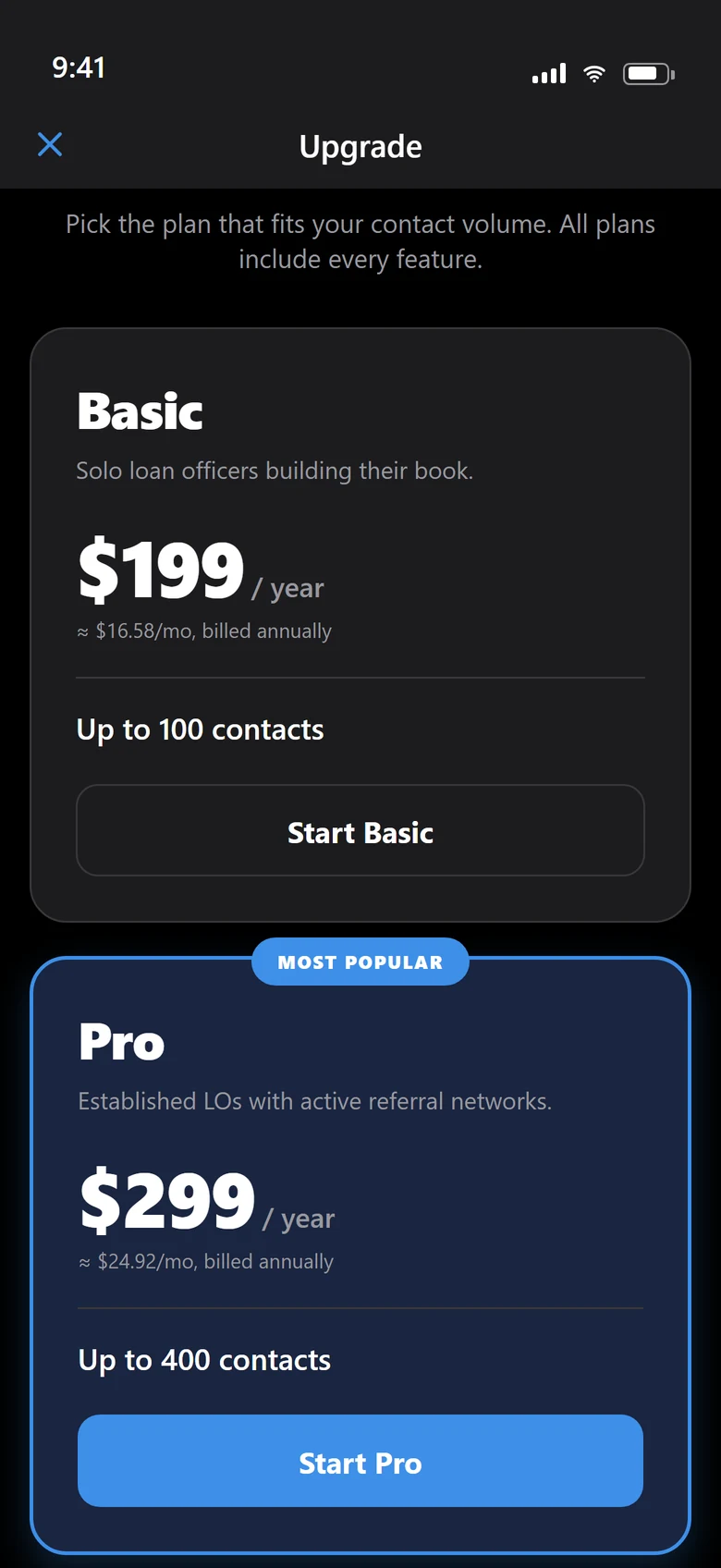
Annual tiers by contact volume. Every plan includes every feature.
Want something like this built? I take on a small number of projects at a time.